Best Chrome Extension for Web Debugging and Development
LT Debug is the ultimate Chrome extension for web developers and designers looking to debug and ship web-based products faster. Developed by LambdaTest, this free tool offers a collection of online web design, development, and debugging utilities, all integrated with LambdaTest's digital experience testing cloud.
With LT Debug, you can easily record user flows using the Chrome Recorder panel and replay or retest them as automated tests on LambdaTest Cloud. This allows you to test your web applications on over 3000 browser-os-resolution combinations, ensuring compatibility across various platforms.
In addition to recording and testing, LT Debug also provides real-time testing capabilities. You can launch live interactive real-time tests of your web apps or mobile pages on over 3000 desktop and mobile browsers running on real devices. This allows you to identify and fix any issues in real-time, ensuring a seamless user experience.
Another powerful feature of LT Debug is the screenshot testing functionality. You can initiate a screenshot test on LambdaTest Cloud, capturing screenshots on up to 25 desktop or mobile browsers, resolutions, and your preferred real or virtual devices. This helps you ensure that your web design is visually consistent across different browsers and devices.
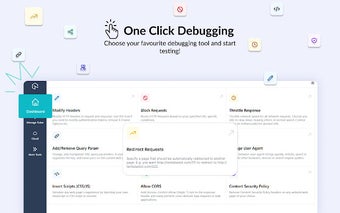
LT Debug also offers a range of useful utilities, including the ability to add, modify, or remove HTTP request headers, block URL requests, add or remove query parameters, throttle network speed, inject scripts, change user agent, and redirect URLs. These utilities enable you to fine-tune your web applications and simulate different scenarios for testing purposes.
Overall, LT Debug is a must-have tool for any web developer or designer. It provides a comprehensive set of features for debugging and accelerating web development, making it easier and faster to deliver high-quality web-based products.